

Raspberry Pi 5 in 2026: Best Projects, Accessories & Buying Guide for Beginners

What is Raspberry Pi 5?
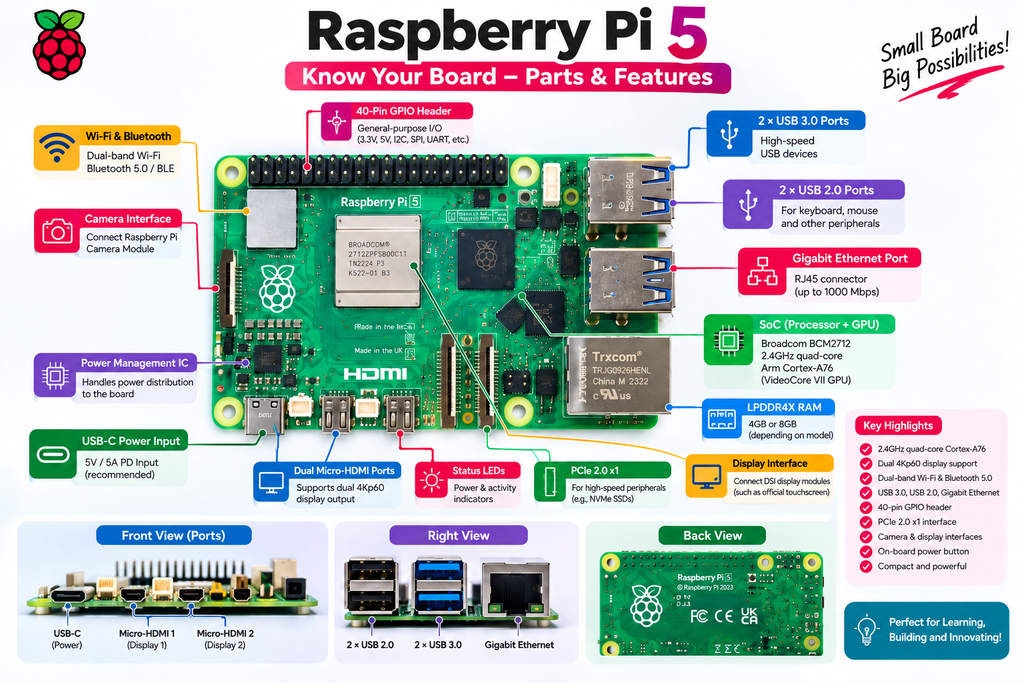
Raspberry Pi 5 is a compact single-board computer designed by Raspberry Pi. It uses a 2.4GHz quad-core 64-bit Arm Cortex-A76 processor and VideoCore VII GPU, providing a major performance improvement over Raspberry Pi 4. (Raspberry Pi)
It also provides:
- Dual-band Wi-Fi
- Bluetooth 5.0 / BLE
- Gigabit Ethernet
- USB 3.0 and USB 2.0 ports
- 40-pin GPIO header
- microSD storage
- PCIe 2.0 x1 interface
- Camera/display interfaces
- Dual 4Kp60 display support
- On-board power button
These features make Raspberry Pi 5 suitable for coding, IoT, home automation, robotics, computer vision, media applications and many other projects. (IBOTS)
Why Choose Raspberry Pi 5 in 2026?
Raspberry Pi 5 is particularly attractive when you need more processing power than a typical microcontroller board such as an Arduino.
Raspberry Pi 5 can be used for:
Programming and Linux learning
Robotics
Home automation
IoT applications
Camera and computer-vision projects
AI experiments
Desktop computing
Network and server projects
Retro gaming
Academic and engineering projects
Raspberry Pi itself describes the Pi 5 as a high-performance, cost-effective computer for home and business applications. (Raspberry Pi)
Raspberry Pi 5 4GB vs 8GB: Which One Should You Buy?
One of the first decisions you need to make is the RAM capacity.
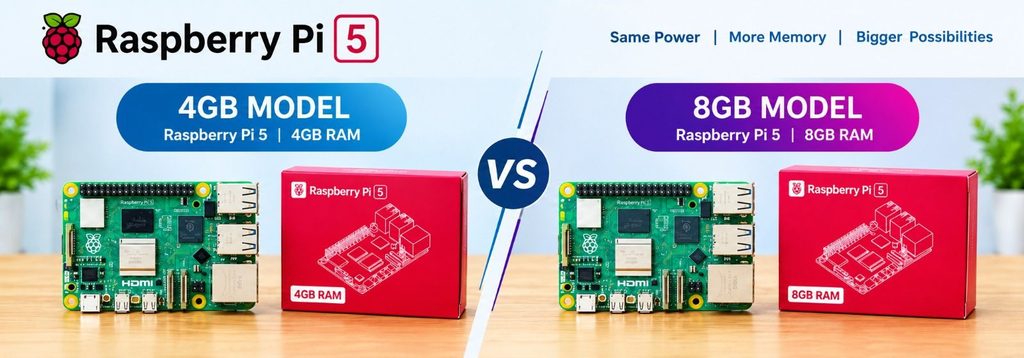
IBOTS currently lists both Raspberry Pi 5 4GB and Raspberry Pi 5 8GB models. (IBOTS)
| Feature | Raspberry Pi 5 4GB | Raspberry Pi 5 8GB |
| RAM | 4GB | 8GB |
| Beginner projects | Excellent | Excellent |
| Programming | Good | Better |
| IoT projects | Good | Better |
| Robotics | Good | Better |
| Desktop applications | Good | Better for heavier workloads |
| Multitasking | Good | Better |
| Advanced applications | Good | Better |
Raspberry Pi 5 4GB
The 4GB version is a good starting point for:
- Students
- Beginners
- IoT projects
- Robotics
- Programming
- Home automation
- Basic computer vision
Raspberry Pi 5 8GB
The 8GB version is better suited to users who expect to run heavier applications, multitask more extensively or work with larger workloads.
Our recommendation
If you are buying your first Raspberry Pi, the 4GB version is a practical starting point.
If you already know you need additional memory for heavier workloads, consider the 8GB version.
What Do You Need to Start with Raspberry Pi 5?
The Raspberry Pi 5 board itself is only the beginning.
For a beginner setup, you will generally need:
1. Raspberry Pi 5
Choose the 4GB or 8GB model according to your requirements.
2. Power Supply
Raspberry Pi 5 benefits from an appropriate USB-C power supply. IBOTS currently lists the Official 27W USB-C PD Power Supply for Raspberry Pi 5. (IBOTS)
3. microSD Card
A microSD card is commonly used for operating-system storage. Raspberry Pi’s official getting-started documentation recommends at least 32GB for Raspberry Pi OS desktop installations. (Raspberry Pi)
4. Case and Cooling
Raspberry Pi 5 can benefit from proper thermal management, particularly under sustained workloads.
IBOTS offers the Official Raspberry Pi 5 Case and Official Raspberry Pi 5 Active Cooler. (IBOTS)
5. HDMI Cable
A micro-HDMI connection is required when connecting the Pi 5 to a compatible display.
6. Keyboard and Mouse
These are useful if you want to use Raspberry Pi 5 as a desktop computer.
Raspberry Pi 5 Starter Kit: The Easier Choice for Beginners
If you are purchasing your first Raspberry Pi, buying individual accessories can be confusing.
A starter kit can make the setup much easier.
IBOTS currently offers an Official Raspberry Pi 5 4GB Starter Kit containing:
- Raspberry Pi 5 4GB
- Official 27W USB-C PD power supply
- SanDisk 32GB microSD card
- Official Raspberry Pi 5 case
- Micro-HDMI to standard HDMI cable (IBOTS)
This means beginners can purchase the essential components together rather than selecting every accessory separately.
👉 Shop the Raspberry Pi 5 Starter Kit at IBOTS
Raspberry Pi 5 Desktop Kit
For users who want a more complete desktop experience, IBOTS also lists an Official Raspberry Pi 5 Desktop Kit with Beginner’s Guide.
The kit includes:
- Raspberry Pi 5 setup
- Official Raspberry Pi 5 case with cooling
- 27W USB-C power supply
- Keyboard
- Mouse
- 32GB pre-installed Raspberry Pi OS storage
- Two micro-HDMI cables
- Raspberry Pi Beginner’s Guide (IBOTS)
This is particularly suitable for someone who wants to start using Raspberry Pi 5 as a small computer rather than only as an electronics board.
Best Raspberry Pi 5 Accessories
Once you have the board, these accessories can make your setup more useful.
1. Official 27W Power Supply
Use a suitable power supply designed for Raspberry Pi 5.
2. Active Cooler
Cooling becomes important during demanding workloads.
IBOTS offers the Official Raspberry Pi 5 Active Cooler, which uses a temperature-controlled fan and aluminium heatsink. (IBOTS)
3. Raspberry Pi 5 Case
A case protects the board while also providing thermal-management support depending on the design.
4. microSD Card
Use reliable storage for Raspberry Pi OS and your applications.
5. Camera
A camera can open up applications such as:
- Computer vision
- Security systems
- Object detection
- Time-lapse photography
- Robotics
6. RTC Battery
For projects that need a real-time clock while the main power is disconnected, IBOTS offers an official Raspberry Pi 5 RTC battery. (IBOTS)
7. AI Accessories
Raspberry Pi 5 can also be extended for AI applications. IBOTS currently lists an Official Raspberry Pi AI Kit based on the Hailo-8L accelerator. (IBOTS)
5 Raspberry Pi 5 Projects for Beginners in 2026
Raspberry Pi 5 is not just a mini computer. Its GPIO, camera, networking and processing capabilities make it a powerful platform for practical projects.
Robocraze’s current 2026 Raspberry Pi content also focuses on beginner projects, AI, smart-home automation and other practical applications. (Robocraze)
Here are five projects you can try.
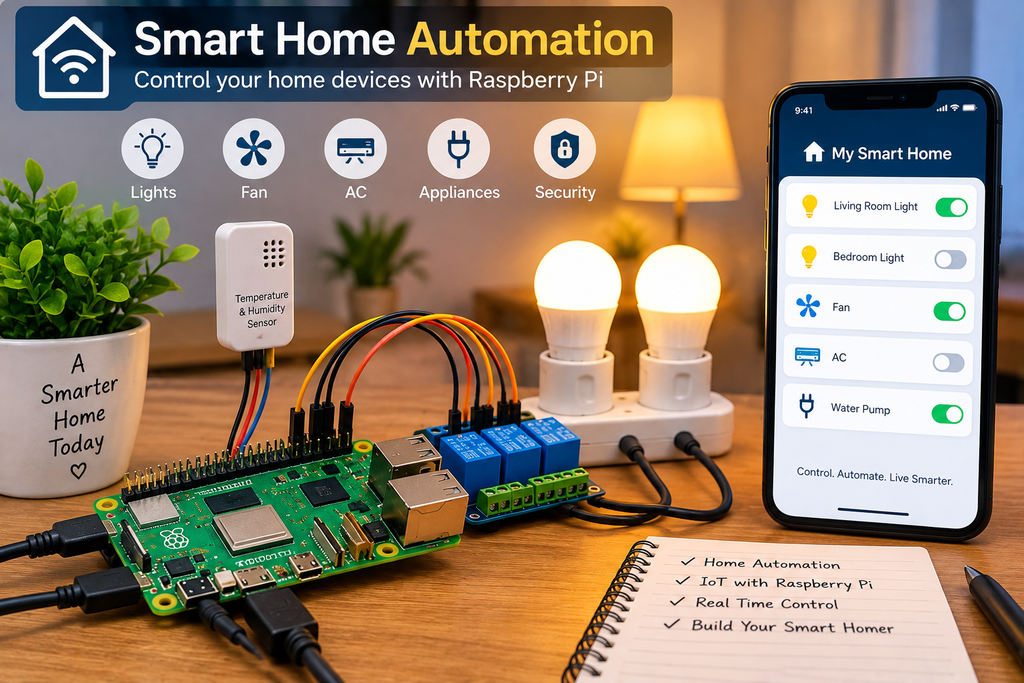
1. Smart Home Automation
Build a simple system that controls lights, appliances or other devices.
You can use:
- Raspberry Pi 5
- Relay module
- Sensors
- Jumper wires
- Power components
This is a good introduction to IoT and home automation.
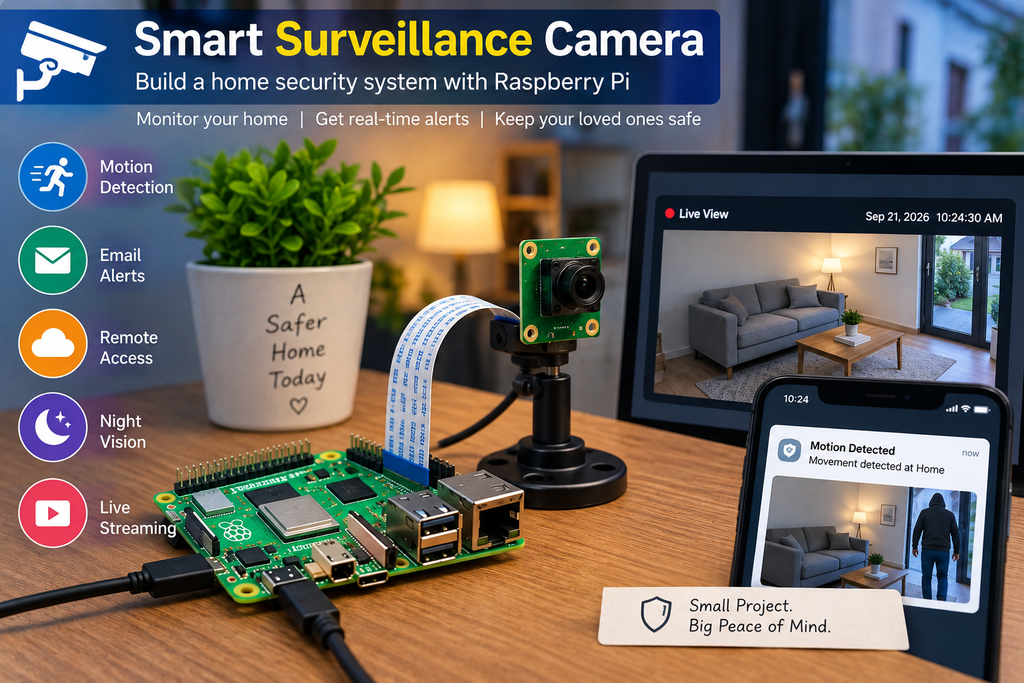
2. Smart Surveillance Camera
Combine Raspberry Pi 5 with a camera to create a basic monitoring system.
Possible features include:
- Live video
- Motion detection
- Image capture
- Remote monitoring
With additional software and suitable hardware, this can become an excellent computer-vision project.
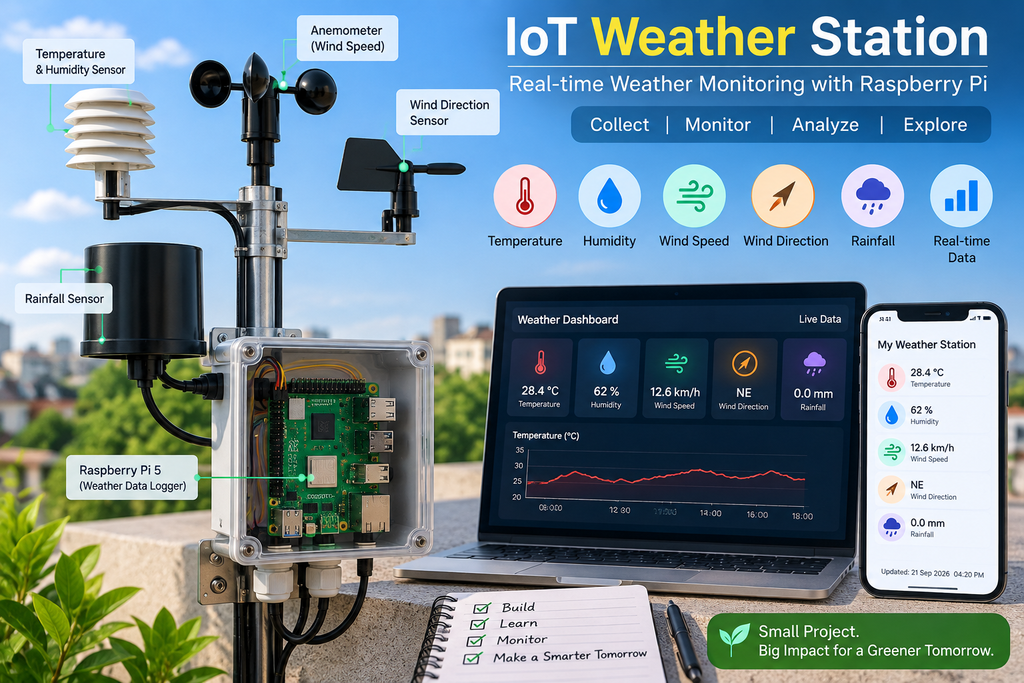
3. IoT Weather Station
Use sensors to collect environmental information such as:
- Temperature
- Humidity
- Pressure
The Raspberry Pi can collect and process the readings and display the information through a local dashboard or web interface.
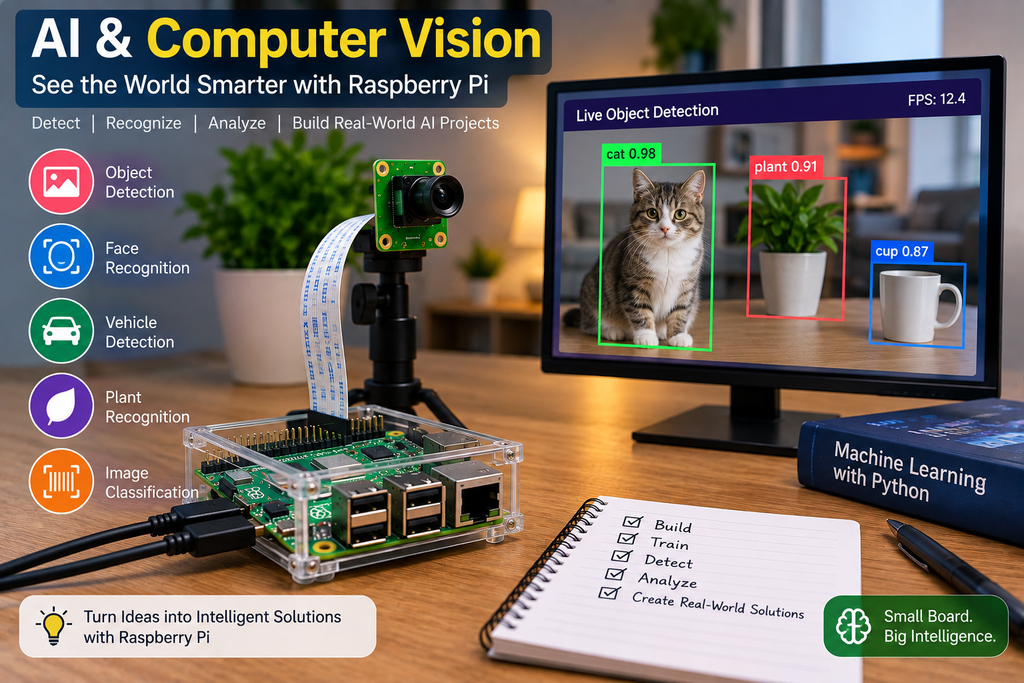
4. AI and Computer Vision Project
Raspberry Pi 5 can be used as the foundation for computer-vision and AI experiments.
For more demanding AI applications, additional accelerator hardware can be used. Raspberry Pi also introduced the AI HAT+ 2 in 2026, featuring an onboard accelerator architecture designed for larger AI models. (Raspberry Pi)
5. Raspberry Pi Robot
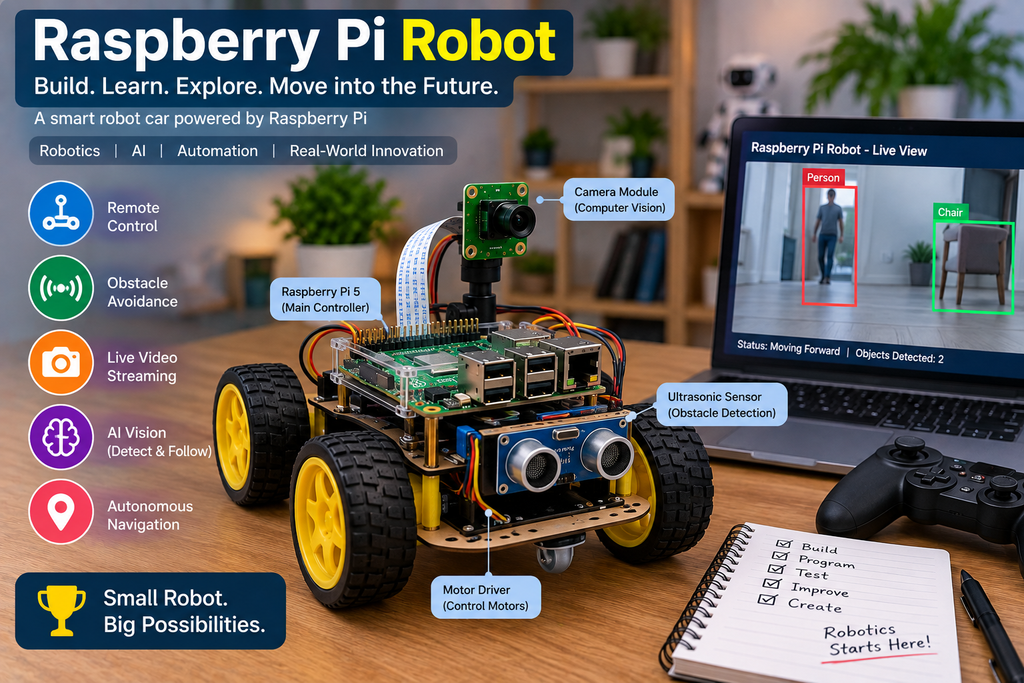
Combine Raspberry Pi 5 with:
- Motor driver
- DC motors
- Wheels
- Ultrasonic sensor
- Camera
- Battery
- Chassis
You can create projects such as:
Obstacle Avoiding Robot
Object Tracking Robot
Smart Surveillance Robot
Autonomous Robot
This makes Raspberry Pi 5 especially interesting for engineering students and robotics enthusiasts.
Raspberry Pi 5 vs Arduino: Which One Should You Choose?
| Raspberry Pi 5 | Arduino UNO |
| Type: Single-board computerOperating System: Supports a full operating systemProcessing Power: Much higher processing powerLinux: Supports LinuxWi-Fi and Bluetooth: Built-inGPIO: Provides GPIO pins for electronics and hardware projectsBest For: Advanced computing, IoT, robotics, programming and AI projectsBeginner Electronics: Good for beginnersAI and Computer Vision: Well suited for AI and computer vision applications | Type: Microcontroller boardOperating System: Does not use a traditional operating systemProcessing Power: Lower processing powerLinux: Does not support LinuxWi-Fi and Bluetooth: Requires an additional board or moduleGPIO: Provides digital and analog pins for electronics projectsBest For: Electronics, sensors, basic automation and simple control projectsBeginner Electronics: Excellent for beginnersAI and Computer Vision: Limited for advanced AI and computer vision applications |
Choose Raspberry Pi 5 if:
You want to work with Linux, Python, networking, cameras, AI, computer vision or more advanced applications.
Choose Arduino if:
You primarily want to learn electronics, sensors, motors and simple embedded control.
For many advanced projects, you can actually use both together.
Raspberry Pi 5 vs Raspberry Pi 4
If you already own a Raspberry Pi 4, should you upgrade?
The Pi 5 brings a substantial performance improvement, including its 2.4GHz Cortex-A76 CPU, VideoCore VII GPU and newer I/O architecture. (Raspberry Pi)
Raspberry Pi 5 is particularly attractive when you need:
- More CPU performance
- Better graphics
- Faster I/O
- PCIe connectivity
- Dual 4K displays
- More demanding applications
For a new buyer in 2026, Raspberry Pi 5 is the current mainstream choice for this class of Raspberry Pi computer.
Important: Don’t Forget Cooling
One thing beginners sometimes overlook is cooling.
Raspberry Pi documentation notes that Raspberry Pi boards begin throttling at elevated temperatures, with further throttling at higher temperatures. (Raspberry Pi)
For Raspberry Pi 5, particularly during sustained workloads, proper cooling is worth considering.
For a basic beginner setup, an appropriate case/cooling solution is a sensible addition.
Raspberry Pi 5 and AI in 2026
AI is one of the interesting directions for Raspberry Pi 5.
The board can serve as the main computer for projects involving:
- Computer vision
- Object detection
- Smart cameras
- Robotics
- Edge AI
- Voice interfaces
For more demanding workloads, dedicated AI accelerator hardware can extend its capabilities. Raspberry Pi’s AI HAT+ 2, announced in January 2026, includes 8GB of dedicated onboard RAM and is designed to accelerate larger AI workloads. (Raspberry Pi)
This creates interesting opportunities for students and developers working on AI + IoT + robotics projects.
Which Raspberry Pi 5 Setup Is Right for You?
For Students
Good for programming, Linux learning and academic projects.
Raspberry Pi 5 4GB/8GB + storage + cooling
Suitable for development, servers and software projects.
For Robotics
Raspberry Pi 5 + active cooling + camera + motor driver + sensors
A strong foundation for advanced robotics.
For AI Projects
Raspberry Pi 5 8GB + cooling + suitable AI accelerator
Better suited for heavier AI experimentation.
For Desktop Use
Raspberry Pi 5 Desktop Kit
A convenient option if you want keyboard, mouse, storage, power and display connectivity in one package.
Raspberry Pi 5 Buying Checklist
Before placing your order, check:
☑ Which RAM size do I need?
☑ Do I have a suitable power supply?
☑ Do I need a case?
☑ Do I need active cooling?
☑ Do I have a microSD card?
☑ Do I need a micro-HDMI cable?
☑ Am I building a robotics/IoT project?
☑ Do I need a camera?
☑ Do I need additional sensors?
☑ Would a starter kit be easier?
Final Recommendation
For beginners, Raspberry Pi 5 4GB is a practical starting point for learning programming, Linux, IoT, robotics and DIY electronics.
If your projects involve heavier workloads or more demanding multitasking, the 8GB model provides additional memory headroom.
And if you don’t want to spend time figuring out every individual accessory, a Raspberry Pi 5 starter kit is the easiest way to get started. IBOTS currently offers both a 4GB starter kit and a more complete desktop kit. (IBOTS)
The real strength of Raspberry Pi 5 is its flexibility: one small computer can become an IoT controller, robotics brain, home server, computer-vision system, learning computer or AI development platform.
Ready to Start Your Raspberry Pi 5 Project?
Explore Raspberry Pi 5 boards, starter kits, power supplies, cooling solutions, cases and other accessories available from IBOTS.
Shop Raspberry Pi 5 Products on IBOTS