


How to Build a Smart Robot Car: Sensors, Motor Drivers and Automation

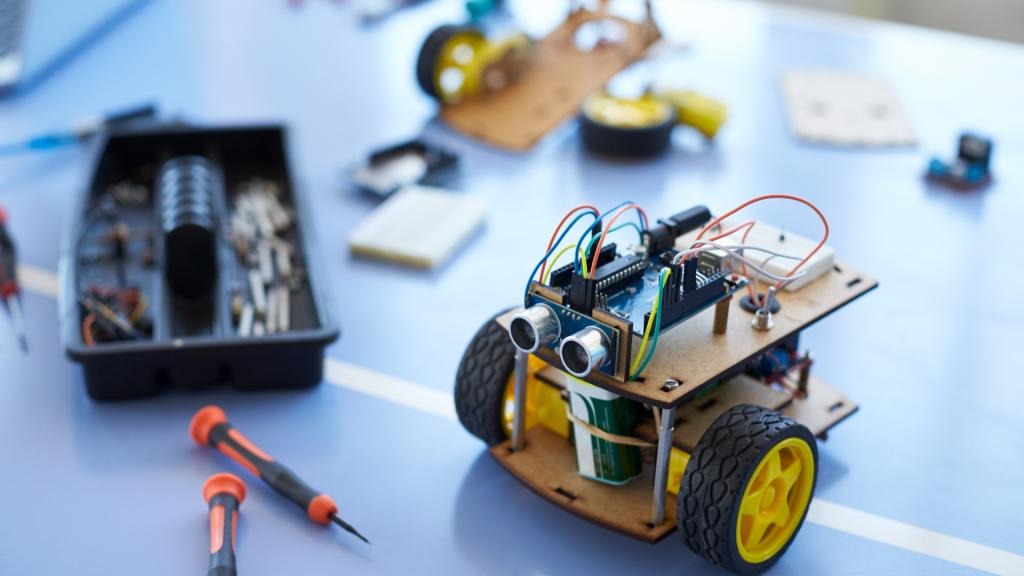
Have you ever wondered how a small robot car can follow a line, avoid obstacles or move when you control it from your phone?
A smart robot car combines mechanical components, electronic circuits, sensors and programming to make these actions possible. Instead of simply moving forward or backward, it can detect its surroundings, respond to inputs and perform tasks automatically.
Building a robot car is a practical way to understand robotics, embedded systems, automation and the Internet of Things (IoT). You can begin with a basic two-wheel robot chassis and gradually add sensors and wireless features as your skills improve.
In this guide, we will explore the essential components, how they work together, and how to build a smart robot car step by step.
1. What Is a Smart Robot Car?
A smart robot car is a small robotic vehicle that uses a controller, motors and electronic components to move and respond to its environment.
Depending on its design, it may follow a marked path, detect nearby obstacles, respond to commands or make simple movement decisions automatically.
For example:
- A line-following robot detects a line on the floor and adjusts its movement to stay on the path.
- An obstacle-avoiding robot detects objects ahead and changes direction to prevent collisions.
- A Bluetooth-controlled robot receives movement commands wirelessly from a compatible phone or controller.
- An autonomous robot car uses programmed rules and sensor data to decide what action to take next.
These projects use the same fundamental robotics principles, but each adds a different capability.
2. What Components Are Needed to Build a Smart Robot Car?
A robot car is made up of several components, each with a specific responsibility.

Robot chassis and motors
The chassis supports the electronics, while the motors rotate the wheels and move the vehicle. A two-wheel-drive chassis is a convenient starting point for beginner projects.
Related product: 2WD Two Wheel Drive DIY Kit – A Smart Robot Car with Chassis

Sensors
Sensors help the robot collect information about its surroundings. Infrared sensor arrays can be used in line-following applications, while distance sensors can help detect obstacles.
Related product: 8 Channel IR Sensor Array

Motor driver
A microcontroller cannot normally power DC motors directly from its GPIO pins. A suitable motor driver handles the motor current and lets the controller manage direction and, where supported, speed.

Wireless communication module
A Bluetooth module can receive commands from a compatible device, allowing the robot to move based on user input rather than only running an automatic program.
Related product: HC-05 Bluetooth Module
Microcontroller board
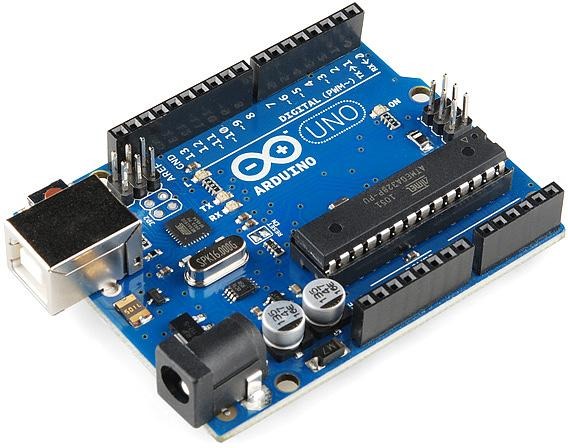
The controller runs the program, reads sensor values and sends signals to the motor driver. An Arduino-compatible board is one common option for introductory robot car projects.
Power supply and connecting wires
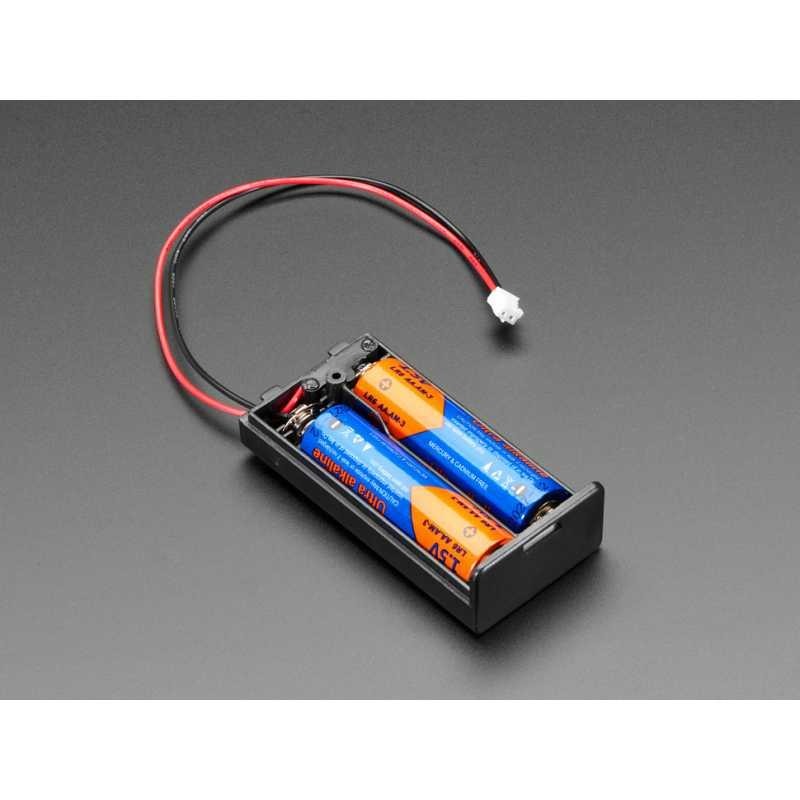
The power source must suit the motors, controller and other electronics. Correct voltage, current capacity, polarity and common ground connections are important for reliable operation.
For students who want to learn through hands-on projects, IBOTS Academy is a useful place to explore robotics and embedded-systems learning opportunities.
3. How Does a Smart Robot Car Work?
The robot car follows a simple cycle: sense, process, decide and act.
1. Sense
Sensors detect a line, an obstacle or another input.
2. Process
The microcontroller reads the sensor data and executes the program.
3. Decide
The program selects an action based on the readings or received command.
4. Act
The motor driver controls the motors so the car can move or turn.
For example, if a line-following robot detects that the path is moving towards its left, its program can adjust the left and right motor speeds to bring the car back onto the line.
This feedback process is one of the foundations of automation. To explore related electronic components, readers can browse the IBOTS product catalogue.
4. What Is a Motor Driver, and Why Is It Important?
A motor driver acts as an interface between a controller and the motors. The controller generates low-power control signals, while the driver switches the motor power according to those signals.
Without a suitable driver, a motor may draw more current than a controller pin can safely provide.
A typical dual DC motor driver supports:
- Forward and reverse movement.
- Turning by running the motors in different directions.
- Speed control through pulse-width modulation (PWM), if supported.
- Independent control of two motors, depending on the driver.
For example, to turn a two-wheel robot to the left, the program might slow or stop one motor while the other continues moving. The exact control logic depends on the chassis and motor-driver design.
Important: Choose the motor driver based on the motors’ operating voltage, stall current and the driver’s current rating. Confirm the wiring and power requirements for the exact components before connecting them.
5. How Do Sensors Help a Robot Car Make Decisions?
Sensors give a robot information that it cannot obtain from its program alone. The program can then use that information to respond to changing conditions.
Infrared sensors for line following
An infrared sensor array detects differences in the infrared light reflected from a surface. A light floor and a dark line often produce different readings, allowing a programmed robot to estimate where the line is located.
An 8 Channel IR Sensor Array is relevant to projects that need multiple sensing points across the front of a robot. Its suitability depends on the sensor’s output interface, operating voltage and the controller’s compatibility.
Distance sensors for obstacle detection
Ultrasonic distance sensors estimate the distance to an object by transmitting sound and measuring the returning echo. If an obstacle is too close, the program can stop the robot or instruct it to turn.
Sensors compared
| Sensor type | What it detects | Example use |
| IR sensor array | Reflected infrared light | Line following |
| Ultrasonic sensor | Distance using sound waves | Obstacle avoidance |
| Wheel encoder | Wheel rotation or movement | Movement estimation |
| Touch or bumper sensor | Physical contact | Collision response |
Different sensors solve different problems. For example, a line sensor is not a replacement for a distance sensor; each provides different information to the robot.
For more help understanding sensor outputs, circuit connections or embedded-system concepts, readers can visit Techring.ai.
6. How to Build a Smart Robot Car Step by Step
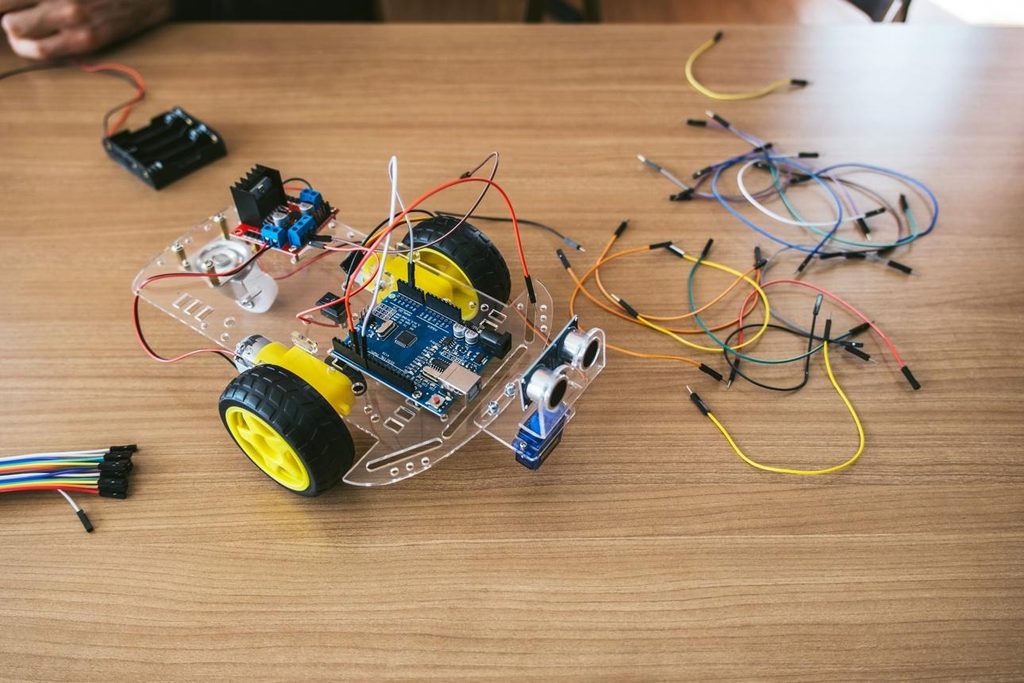
Here is a practical beginner workflow. The exact assembly and pin connections depend on the particular kit and components you use.
Step 1: Assemble the chassis
Attach the motors and wheels to the chassis, fit the caster wheel if supplied, and check that the wheels rotate freely.
A 2WD Two Wheel Drive DIY Kit provides a starting point for learning how a simple wheeled robot is assembled.
Step 2: Mount the controller and motor driver
Secure the microcontroller and motor driver to the chassis. Keep wiring tidy and make sure conductive parts cannot accidentally touch and cause a short circuit.
Step 3: Connect the motors
Connect the two DC motors to the motor driver’s output terminals. Connect the driver’s control inputs to the appropriate controller pins, following the component documentation.
Before powering up, check the wiring and ensure that the motor driver is compatible with the motors.
Step 4: Connect the sensors
Mount the IR sensor array near the front underside of the robot if you are building a line follower. Keep it at the recommended height and orientation for the sensor.
If your project uses a distance sensor, position it so that the robot can detect objects in its direction of travel.
Step 5: Provide suitable power
Use a power source that meets the voltage and current requirements of the motors and electronics. Some designs use separate motor and logic supplies; follow the board and driver documentation and connect grounds as required.
Switch off the power before changing wiring.
Step 6: Upload a basic movement program
Start with a simple test that runs the motors forward, then tests reverse, left and right turns. Keep the wheels raised during the first motor test so the car does not move unexpectedly.
Step 7: Add sensor-based automation
Once basic movement works, read the sensor values and add conditional logic to control the motors. Test the robot on a flat, clear surface and adjust the program when its movement does not match the intended behaviour.
Step 8: Add wireless control
For a Bluetooth-controlled version, connect a compatible Bluetooth module such as the HC-05 Bluetooth Module. Configure the serial communication and program the controller to interpret commands such as forward, reverse, left, right and stop.
Keep the wireless-control feature separate from automatic navigation at first. Once both work independently, you can combine them with a suitable operating mode.
7. Sample Logic for a Line-Following Robot
A line-following robot uses sensor readings to decide how the motors should move. The following is illustrative pseudocode, not a complete program for a particular sensor or board.
Start

Read the IR sensor array

If the line is centred:

    Move forward

Else if the line is detected on the left:

    Adjust movement to the left

Else if the line is detected on the right:

    Adjust movement to the right

Else:

    Stop or search for the line

Repeat
Actual IR sensor modules may produce different output patterns, and some use active-low rather than active-high signals. You must test the sensor readings and adapt the conditions to the specific module.
If the robot oscillates from side to side, try adjusting the correction strength, motor speed or sensor position. You can use Techring.ai as a place to explore technical questions while debugging your code and connections.
9. Three Smart Robot Car Projects to Try
Once the basic car is working, you can develop it into several useful projects.

Project 1: Line-Following Robot
Use an IR sensor array to detect a dark line and adjust the motors to follow it.
You will learn: sensor calibration, conditional logic, motor control and feedback.

Project 2: Obstacle-Avoiding Robot
Use a distance sensor to identify nearby objects. Program the car to stop, turn or choose another direction when an obstacle is detected.
You will learn: distance measurement, decision-making logic and autonomous movement.
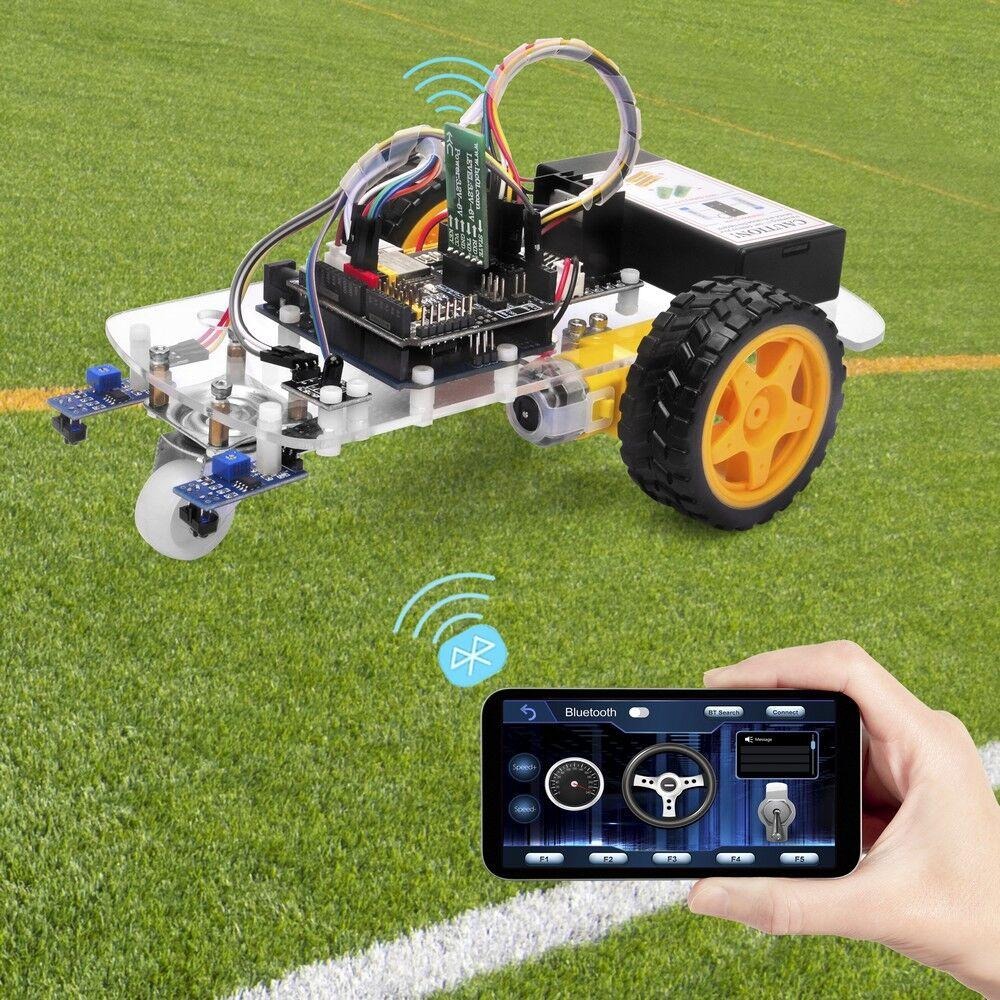
Project 3: Bluetooth-Controlled Robot
Use a compatible phone interface to send commands to the robot through a Bluetooth module.
You will learn: serial communication, wireless commands and control-system design.
The HC-05 Bluetooth Module is relevant to the third project, while the IR sensor array is relevant to the first. For the chassis, start with the 2WD robot car DIY kit.
10. How Can IoT Make a Robot Car Smarter?
The Internet of Things connects physical devices to networks so they can exchange data with other systems. A robot car can become part of an IoT project when a suitable Wi-Fi or other network-enabled controller is used.
Possible extensions include:
- Sending sensor readings to a dashboard.
- Monitoring battery voltage or operating status.
- Logging the robot’s sensor readings during a test.
- Sending commands over a network.
- Viewing status information from a remote interface.
Bluetooth and Wi-Fi serve different purposes. Bluetooth is often useful for short-range direct control, while Wi-Fi can enable network-based communication when the hardware, software and network are configured for it.
For students exploring these connections, IBOTS Academy offers a route to discover relevant technology courses and projects. Technical questions about communication protocols or troubleshooting can also be explored through Techring.ai.
11. Common Problems When Building a Robot Car
Even a simple robot can behave unexpectedly. Testing one part at a time makes troubleshooting easier.
| Problem | Possible cause | What to check |
| Motors do not move | Power or wiring issue | Battery, motor-driver connections and enable pins |
| Car turns in the wrong direction | Motor polarity or logic mismatch | Motor wiring and direction commands |
| Robot misses the line | Incorrect sensor height or calibration | Sensor placement and readings |
| Car resets when motors start | Power supply cannot handle motor current | Battery condition, current rating and wiring |
| Bluetooth commands do not work | Incorrect serial settings or pairing | Baud rate, connections and command format |
| Robot moves erratically | Noisy readings or overly aggressive corrections | Sensor calibration, speed and control logic |
Change one variable at a time and repeat the test. This helps you identify the cause instead of making several changes without knowing which one worked.
If you need help understanding a particular component or error, Techring.ai can be included as a technical support resource in the article.
12. Safety Tips for Robotics Beginners
- Switch off the power before changing circuit connections.
- Verify the polarity and voltage requirements of each component.
- Never power motors directly from a microcontroller GPIO pin.
- Ensure that the motor driver supports the motor’s stall current.
- Keep wires, fingers and loose objects away from moving wheels.
- Secure the battery and avoid short-circuiting its terminals.
- Test the car in a clear space before running it at higher speeds.
Following these practices helps protect the components and makes testing more predictable.
13. What Skills Will You Learn from a Smart Robot Car Project?
A smart robot car brings several technical subjects together in one hands-on project.
- Electronics: Understand motors, power supplies, sensors and circuit connections.
- Embedded programming: Learn how a microcontroller reads inputs and controls outputs.
- Automation: Convert sensor readings into actions using programmed rules.
- Problem-solving: Debug wiring, calibrate sensors and improve movement.
- Wireless communication: Explore how Bluetooth commands can control a physical device.
- IoT fundamentals: Extend the project with network communication and remote monitoring.
These skills provide a foundation for more advanced work in robotics, automation and embedded systems. Students can explore related learning opportunities at IBOTS Academy.
14. What Is the Future of Smart Robotics?
Robotics is increasingly combining sensors, embedded computing, wireless communication and AI. In more advanced systems, computer vision can help a robot recognise objects, while machine-learning models can help it classify sensor data or make predictions.
A basic two-wheel robot does not need AI to be useful. Line following and obstacle avoidance can be implemented with straightforward sensor-based rules. More advanced capabilities can be introduced gradually as the hardware and computing resources allow.
This makes the smart robot car a useful starting point: learners can begin with simple movement, add feedback from sensors, introduce wireless control and then explore more advanced techniques.
Final Thoughts
Building a smart robot car is an accessible way to understand how sensors, motor drivers and automation work together. A simple chassis can become a line-following robot, an obstacle-avoiding vehicle or a Bluetooth-controlled car through carefully planned hardware and programming.
Start with basic movement, test each component separately, and add one feature at a time. With every improvement, you gain a clearer understanding of how real-world robotic systems sense, process and act.
To begin exploring the hardware, check the 2WD robot car DIY kit, the 8 Channel IR Sensor Array and the HC-05 Bluetooth Module. Visit IBOTS Academy for learning opportunities and Techring.ai for technical questions and troubleshooting.